Documentation Index
Fetch the complete documentation index at: https://docs.azalt.co/llms.txt
Use this file to discover all available pages before exploring further.
This quickstart will walk you through building a complete sustainability data collection system: from setting up your organizational structure to collecting energy data and creating KPIs.
1. Authentication Setup
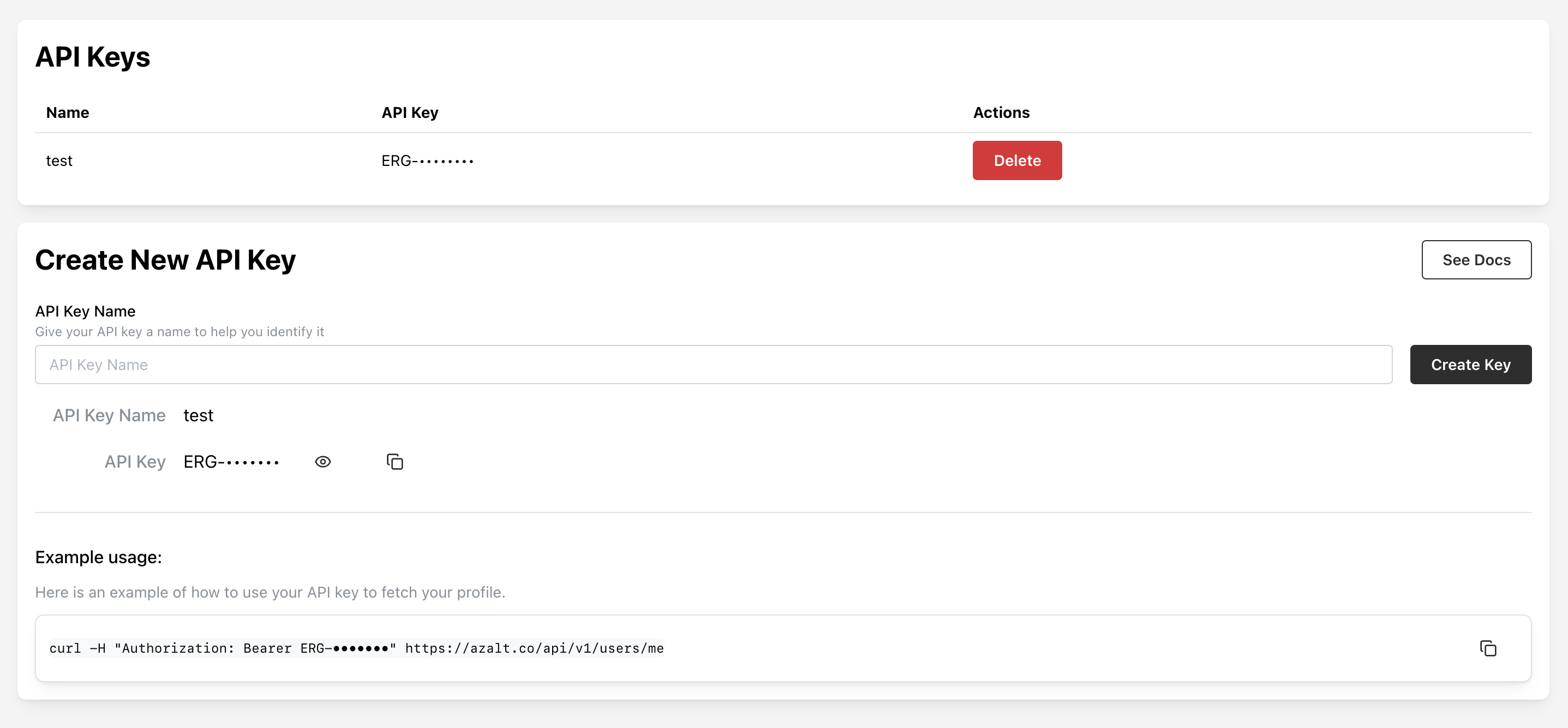
Create your API key at /settings/api-keys.
Test your authentication:
curl --request GET \
--url https://app.azalt.co/api/v1/users/me \
--header 'Authorization: Bearer ERG-your-api-key'
2. Create Your Site Structure
First, letβs create a manufacturing facility to collect data from:
curl --request POST \
--url https://app.azalt.co/api/v1/site.create \
--header 'Authorization: Bearer ERG-your-api-key' \
--header 'Content-Type: application/json' \
--data '{
"name": "Manufacturing Plant A",
"country": "United States",
"city": "Detroit",
"numberOfEmployees": 250,
"floorAreaInM2": 15000
}'
Now letβs create a form to collect monthly energy consumption data:
curl --request POST \
--url https://app.azalt.co/api/v1/form.create \
--header 'Authorization: Bearer ERG-your-api-key' \
--header 'Content-Type: application/json' \
--data '{
"name": "Monthly Energy Tracking",
"description": "Track electricity and natural gas consumption",
"elements": [
{
"key": "electricity_consumption",
"label": "Electricity Consumption",
"type": "NUMBER",
"required": true,
"unit": "kWh",
"period": "MONTHLY"
},
{
"key": "natural_gas_consumption",
"label": "Natural Gas Consumption",
"type": "NUMBER",
"required": true,
"unit": "mΒ³",
"period": "MONTHLY"
}
],
"siteIds": ["your-site-id"],
"years": [2024]
}'

4. Submit Energy Data
Submit actual consumption data for January 2024:
curl --request POST \
--url https://app.azalt.co/api/v1/measurement.collect \
--header 'Authorization: Bearer ERG-your-api-key' \
--header 'Content-Type: application/json' \
--data '{
"formId": "your-form-id",
"siteId": "your-site-id",
"year": 2024,
"values": [
{
"elementId": "electricity-element-id",
"value": 125000,
"periodUnit": 1
},
{
"elementId": "gas-element-id",
"value": 8500,
"periodUnit": 1
}
]
}'
5. Create Energy Intensity KPI
Create a KPI to track energy efficiency (kWh per employee):
curl --request POST \
--url https://app.azalt.co/api/v1/indicator.create \
--header 'Authorization: Bearer ERG-your-api-key' \
--header 'Content-Type: application/json' \
--data '{
"name": "Energy Intensity per Employee",
"description": "Monthly electricity consumption per employee",
"unit": "kWh/employee",
"expression": [
{
"type": "form_element",
"formElementId": "electricity-element-id"
},
{
"type": "operator",
"operator": "/"
},
{
"type": "number",
"value": 250
}
]
}'
6. View Your Results
Get the calculated KPI value:
curl --request GET \
--url 'https://app.azalt.co/api/v1/indicator.calculate?indicatorId=your-indicator-id&siteId=your-site-id&year=2024&periodUnit=1' \
--header 'Authorization: Bearer ERG-your-api-key'
Response:
{
"value": 500,
"unit": "kWh/employee",
"siteId": "your-site-id",
"year": 2024,
"periodUnit": 1
}
π Congratulations!
Youβve just built a complete sustainability data system:
- β
Organizational Structure: Created a manufacturing site with operational details
- β
Data Collection: Built a form with time-period data collection
- β
Data Submission: Submitted real energy consumption data
- β
KPI Creation: Created an efficiency indicator with automatic calculations
- β
Analytics: Retrieved calculated sustainability metrics
Next Steps
For detailed concepts and architecture, see Platform Overview.