> ## Documentation Index
> Fetch the complete documentation index at: https://docs.azalt.co/llms.txt
> Use this file to discover all available pages before exploring further.
# Quickstart
> Build your first sustainability data collection system in 10 minutes
export const baseUrl = "https://azalt.co";
This quickstart will walk you through building a complete sustainability data collection system: from setting up your organizational structure to collecting energy data and creating KPIs.
## 1. Authentication Setup
Create your API key at {baseUrl}/settings/api-keys.
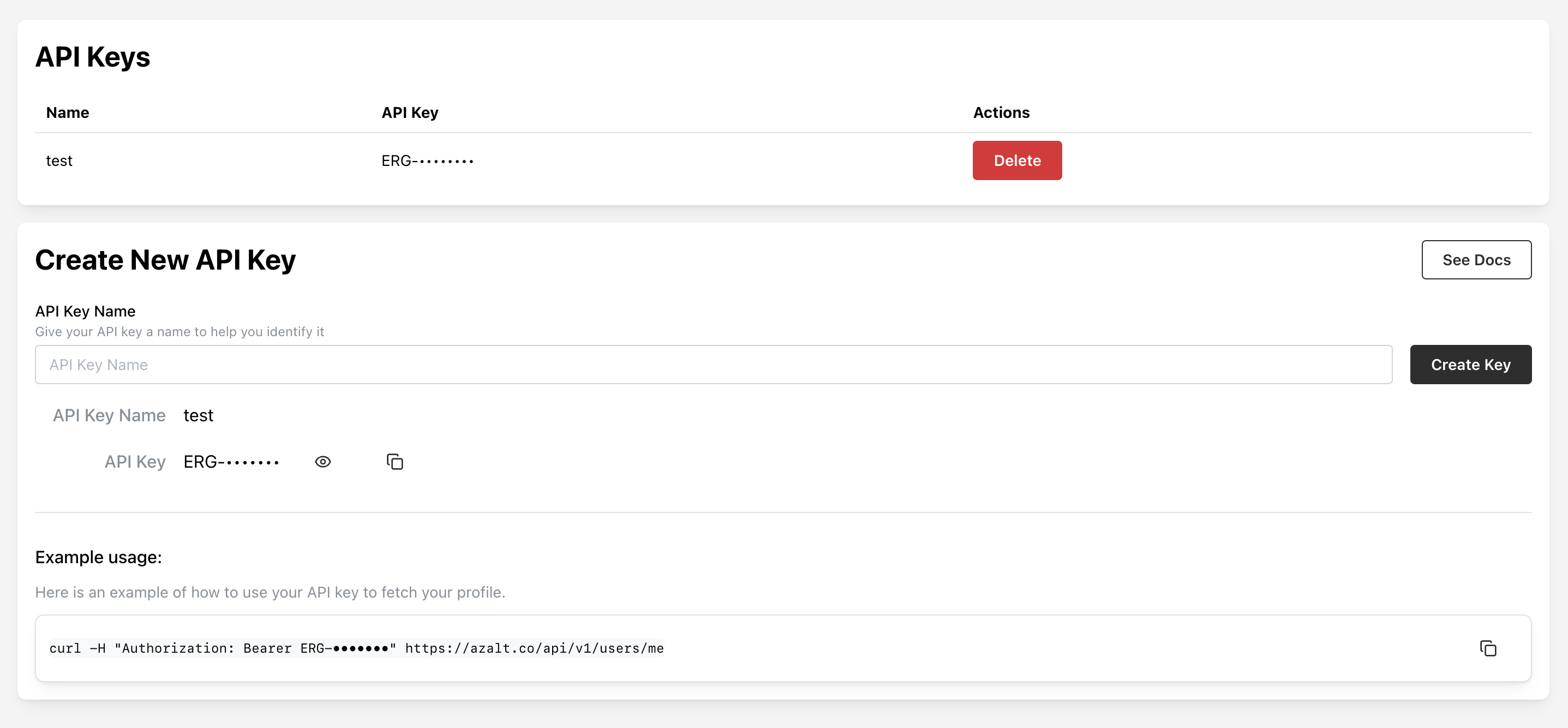 Test your authentication:
```bash theme={null}
curl --request GET \
--url https://app.azalt.co/api/v1/users/me \
--header 'Authorization: Bearer ERG-your-api-key'
```
## 2. Create Your Site Structure
First, let's create a manufacturing facility to collect data from:
```bash theme={null}
curl --request POST \
--url https://app.azalt.co/api/v1/site.create \
--header 'Authorization: Bearer ERG-your-api-key' \
--header 'Content-Type: application/json' \
--data '{
"name": "Manufacturing Plant A",
"country": "United States",
"city": "Detroit",
"numberOfEmployees": 250,
"floorAreaInM2": 15000
}'
```
## 3. Create an Energy Tracking Form
Now let's create a form to collect monthly energy consumption data:
```bash theme={null}
curl --request POST \
--url https://app.azalt.co/api/v1/form.create \
--header 'Authorization: Bearer ERG-your-api-key' \
--header 'Content-Type: application/json' \
--data '{
"name": "Monthly Energy Tracking",
"description": "Track electricity and natural gas consumption",
"elements": [
{
"key": "electricity_consumption",
"label": "Electricity Consumption",
"type": "NUMBER",
"required": true,
"unit": "kWh",
"period": "MONTHLY"
},
{
"key": "natural_gas_consumption",
"label": "Natural Gas Consumption",
"type": "NUMBER",
"required": true,
"unit": "m³",
"period": "MONTHLY"
}
],
"siteIds": ["your-site-id"],
"years": [2024]
}'
```
## 4. Submit Energy Data
Submit actual consumption data for January 2024:
```bash theme={null}
curl --request POST \
--url https://app.azalt.co/api/v1/measurement.collect \
--header 'Authorization: Bearer ERG-your-api-key' \
--header 'Content-Type: application/json' \
--data '{
"formId": "your-form-id",
"siteId": "your-site-id",
"year": 2024,
"values": [
{
"elementId": "electricity-element-id",
"value": 125000,
"periodUnit": 1
},
{
"elementId": "gas-element-id",
"value": 8500,
"periodUnit": 1
}
]
}'
```
## 5. Create Energy Intensity KPI
Create a KPI to track energy efficiency (kWh per employee):
```bash theme={null}
curl --request POST \
--url https://app.azalt.co/api/v1/indicator.create \
--header 'Authorization: Bearer ERG-your-api-key' \
--header 'Content-Type: application/json' \
--data '{
"name": "Energy Intensity per Employee",
"description": "Monthly electricity consumption per employee",
"unit": "kWh/employee",
"expression": [
{
"type": "form_element",
"formElementId": "electricity-element-id"
},
{
"type": "operator",
"operator": "/"
},
{
"type": "number",
"value": 250
}
]
}'
```
## 6. View Your Results
Get the calculated KPI value:
```bash theme={null}
curl --request GET \
--url 'https://app.azalt.co/api/v1/indicator.calculate?indicatorId=your-indicator-id&siteId=your-site-id&year=2024&periodUnit=1' \
--header 'Authorization: Bearer ERG-your-api-key'
```
**Response:**
```json theme={null}
{
"value": 500,
"unit": "kWh/employee",
"siteId": "your-site-id",
"year": 2024,
"periodUnit": 1
}
```
## 🎉 Congratulations!
You've just built a complete sustainability data system:
* ✅ **Organizational Structure**: Created a manufacturing site with operational details
* ✅ **Data Collection**: Built a form with time-period data collection
* ✅ **Data Submission**: Submitted real energy consumption data
* ✅ **KPI Creation**: Created an efficiency indicator with automatic calculations
* ✅ **Analytics**: Retrieved calculated sustainability metrics
## Next Steps
* **Explore Advanced Features**: Add [conditional logic](/concepts/overview#conditional-logic) to your forms
* **External Data Collection**: Create [public forms](/concepts/overview#external-forms) for supplier data
* **Complex Calculations**: Build [activity definitions](/concepts/overview#activity--activitydefinition) with custom JavaScript
* **Dashboards**: Create [interactive visualizations](/concepts/overview#dashboard--widget) of your data
* **API Reference**: Explore the complete [API documentation](/api-reference)
For detailed concepts and architecture, see [Platform Overview](/concepts).
Test your authentication:
```bash theme={null}
curl --request GET \
--url https://app.azalt.co/api/v1/users/me \
--header 'Authorization: Bearer ERG-your-api-key'
```
## 2. Create Your Site Structure
First, let's create a manufacturing facility to collect data from:
```bash theme={null}
curl --request POST \
--url https://app.azalt.co/api/v1/site.create \
--header 'Authorization: Bearer ERG-your-api-key' \
--header 'Content-Type: application/json' \
--data '{
"name": "Manufacturing Plant A",
"country": "United States",
"city": "Detroit",
"numberOfEmployees": 250,
"floorAreaInM2": 15000
}'
```
## 3. Create an Energy Tracking Form
Now let's create a form to collect monthly energy consumption data:
```bash theme={null}
curl --request POST \
--url https://app.azalt.co/api/v1/form.create \
--header 'Authorization: Bearer ERG-your-api-key' \
--header 'Content-Type: application/json' \
--data '{
"name": "Monthly Energy Tracking",
"description": "Track electricity and natural gas consumption",
"elements": [
{
"key": "electricity_consumption",
"label": "Electricity Consumption",
"type": "NUMBER",
"required": true,
"unit": "kWh",
"period": "MONTHLY"
},
{
"key": "natural_gas_consumption",
"label": "Natural Gas Consumption",
"type": "NUMBER",
"required": true,
"unit": "m³",
"period": "MONTHLY"
}
],
"siteIds": ["your-site-id"],
"years": [2024]
}'
```
## 4. Submit Energy Data
Submit actual consumption data for January 2024:
```bash theme={null}
curl --request POST \
--url https://app.azalt.co/api/v1/measurement.collect \
--header 'Authorization: Bearer ERG-your-api-key' \
--header 'Content-Type: application/json' \
--data '{
"formId": "your-form-id",
"siteId": "your-site-id",
"year": 2024,
"values": [
{
"elementId": "electricity-element-id",
"value": 125000,
"periodUnit": 1
},
{
"elementId": "gas-element-id",
"value": 8500,
"periodUnit": 1
}
]
}'
```
## 5. Create Energy Intensity KPI
Create a KPI to track energy efficiency (kWh per employee):
```bash theme={null}
curl --request POST \
--url https://app.azalt.co/api/v1/indicator.create \
--header 'Authorization: Bearer ERG-your-api-key' \
--header 'Content-Type: application/json' \
--data '{
"name": "Energy Intensity per Employee",
"description": "Monthly electricity consumption per employee",
"unit": "kWh/employee",
"expression": [
{
"type": "form_element",
"formElementId": "electricity-element-id"
},
{
"type": "operator",
"operator": "/"
},
{
"type": "number",
"value": 250
}
]
}'
```
## 6. View Your Results
Get the calculated KPI value:
```bash theme={null}
curl --request GET \
--url 'https://app.azalt.co/api/v1/indicator.calculate?indicatorId=your-indicator-id&siteId=your-site-id&year=2024&periodUnit=1' \
--header 'Authorization: Bearer ERG-your-api-key'
```
**Response:**
```json theme={null}
{
"value": 500,
"unit": "kWh/employee",
"siteId": "your-site-id",
"year": 2024,
"periodUnit": 1
}
```
## 🎉 Congratulations!
You've just built a complete sustainability data system:
* ✅ **Organizational Structure**: Created a manufacturing site with operational details
* ✅ **Data Collection**: Built a form with time-period data collection
* ✅ **Data Submission**: Submitted real energy consumption data
* ✅ **KPI Creation**: Created an efficiency indicator with automatic calculations
* ✅ **Analytics**: Retrieved calculated sustainability metrics
## Next Steps
* **Explore Advanced Features**: Add [conditional logic](/concepts/overview#conditional-logic) to your forms
* **External Data Collection**: Create [public forms](/concepts/overview#external-forms) for supplier data
* **Complex Calculations**: Build [activity definitions](/concepts/overview#activity--activitydefinition) with custom JavaScript
* **Dashboards**: Create [interactive visualizations](/concepts/overview#dashboard--widget) of your data
* **API Reference**: Explore the complete [API documentation](/api-reference)
For detailed concepts and architecture, see [Platform Overview](/concepts).